


Target: Shop. Style. Save.
4.9104.06K Reviews
App Specs
- Version
- 2026.33.0
- Updated On
- License
- Free
- Downloads
- 10,000,000+
- Developer
- Target Corporation
- Categories
- Shopping
- Platform
- Android, iOS
Screenshots
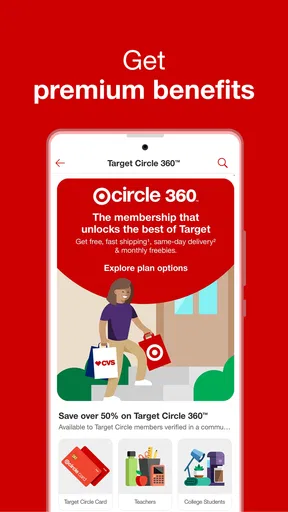
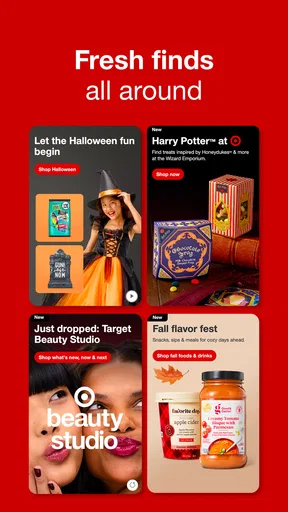

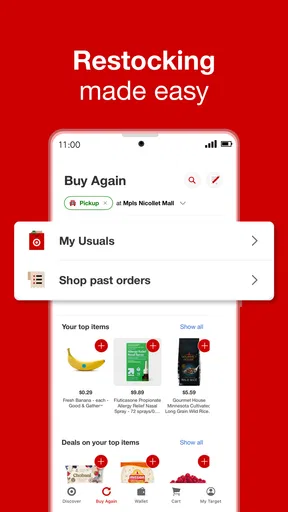
 Analysis by AppCompare
I approach a retailer’s app with a practical question: will it help me make a better shopping decision, or just give me another place to browse? Target: Shop Deals & Trends is most useful when Target is already part of your routine. It brings shopping for household basics, personal care, beauty, clothing, and home items into one place, so I can check options and plan a trip without treating each department as a separate errand.
That convenience matters most when I have a specific need and want to compare it with whatever else is on my list. I can look at products before heading to a store, or browse from home when I am not ready to go out. I would not assume that every item or deal will suit every shopper, though. The app works best as a planning and purchasing companion for people who shop at Target, rather than as a reason on its own to change where they buy everything.
What to consider before making it your shopping app
Target Corporation’s free shopping app has been around since Aug 31, 2010, and its current version is 2025.49.1. It has an average rating of 3.6 from around 299,000 ratings, alongside roughly 100,000 written reviews, so shoppers’ experiences are mixed rather than universally enthusiastic. I see that as a reason to judge it by the jobs I need it to do: finding an item, checking the available details, and making a shopping trip easier.
It is rated Everyone and has been installed over 10 million times. Those figures show that it is a familiar option, but they do not tell me whether it will match my habits. I would consider it if I already buy several kinds of products from Target and want one place to organize that activity. If I only need an occasional item, the mobile website or a quick store visit may be enough.
Where the app earns a place in my routine
One of its strongest advantages is the combination of browsing and in-store shopping. I can research a product at home, then use the barcode scanner while shopping in person to check an item on the shelf. That can be useful when packaging looks similar or I want to confirm I have found the product I meant to buy. My practical tip is to use the app before the trip to narrow down choices, then scan only when a shelf decision is genuinely unclear; otherwise, the phone can become a distraction from a simple shop.
Lists are another helpful part of the workflow. I would use one to gather planned purchases before leaving home, rather than relying on memory while moving between departments. For a household run, that makes it easier to keep essentials separate from the tempting extras that catch my eye. The app also supports Drive Up, which can make a planned purchase more convenient when I would rather collect it than spend time shopping inside. The trade-off is that collection is useful only when it fits the errand and the items I need; it is not a substitute for browsing in person when I want to compare or inspect products.
Shopping Made Easy
First things first, the Target: Shop Deals & Trends app is super user-friendly. As soon as you open it, you’re greeted by a clean and simple interface that makes navigation a breeze. No need to dig around for what you need; everything is just a tap away. The app's design is sleek and intuitive, making it easy even for those who aren’t tech-savvy.
Worth Reading Before You Choose

EA SPORTS FC Mobile 26 Is a Bigger Football Game, but It Takes Time

Flipboard Shows What News Apps Must Do Beyond the Feed

Switching to Android Auto Means Rethinking Your Driving Routine

Google Calendar Makes a Crowded Week Easier to Manage

Ludo King Makes the Most of the Minutes Between Plans

Baby Panda World Brings Quick Play to Modern Phones, but Its Game Library Feels Busy
Finding the Best Deals
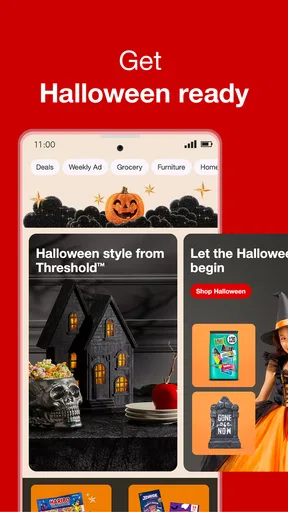
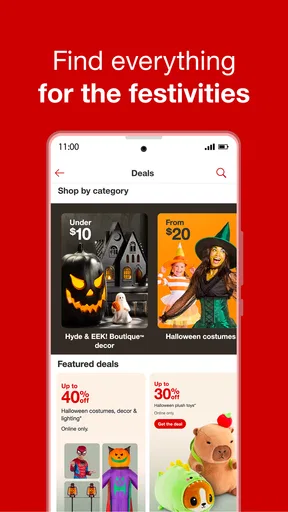
What I love about this app is the way it brings deals straight to your fingertips. With just a quick scroll, you can spot the latest discounts and special offers. It’s like having a personal bargain hunter! Plus, the app features a nifty tool where you can scan barcodes while you shop in-store, ensuring you never miss out on savings. How cool is that?
Personalized Shopping Experience
Target’s app isn’t just about deals; it’s about making shopping personal. Once you sign in, it remembers your preferences and purchase history. This means you get recommendations that actually matter to you. It’s almost like the app knows you better than you know yourself! And let’s not forget about the convenience of setting up shopping lists and picking up items with their Drive Up service.
Seamless Online Shopping
If you prefer online shopping, the app has got you covered. It allows you to browse through Target’s extensive product range with ease. The product descriptions are detailed, and the high-quality images make you feel like you're checking out the items in-store. Plus, the checkout process is smooth and secure, ensuring peace of mind with every purchase.
For an ordinary weekday, I can see the value in checking the app before stopping for groceries or household supplies: I can add the things I know I need to a list, look at other items while I have a moment, and decide whether it makes sense to collect an order or shop inside. That is a more grounded benefit than simply having a large catalog on a phone. It helps me connect browsing to an actual errand, while leaving room to change my mind when I see the products in person.
Deals are worth treating as a prompt to compare, not as a guarantee that I am saving money. I would check the product, size, and details against what I actually planned to buy before adding anything just because it is highlighted. The barcode scanner can help when I am already in the aisle and want to investigate a particular item, but I would not scan every product as a routine. Used selectively, it can answer a shopping question; used constantly, it risks turning a quick visit into a longer one.
Choosing between online browsing and a store visit
The app’s online catalog is useful when I want to explore a category without walking through the store. Product descriptions and images give me a starting point, especially for home decor or beauty purchases where appearance and details matter. Still, a screen is not the same as handling an item. For things where texture, fit, color in real light, or a close look at the packaging will decide my choice, I would use the app to shortlist options and then inspect them in person when practical.
Checkout is presented as a smooth part of the online experience, but the larger decision is whether ordering suits the purchase. If I need something quickly and can conveniently shop in person, a store visit may be the simpler route. If I want to compare several items at home or build a planned order, the app gives me a more relaxed way to do that. I would treat those as complementary approaches rather than assuming one is always better.
When another shopping option makes more sense
Compared with a general marketplace app, Target’s main appeal is that it keeps the experience focused on shopping with Target across its familiar mix of departments. That focus can be a plus if I want to group household essentials, beauty, and home purchases in one retailer’s app. A broader marketplace may be a better fit when my priority is comparing a wider range of sellers or finding an item outside Target’s selection. I would choose based on the product I need, not loyalty to an app.
A retailer’s mobile website can also be enough for someone who does not want a dedicated app or shops there only now and then. The installed app makes more sense for repeat visits, saved lists, personalized recommendations, and using the scanner during an in-store trip. There is a small habit cost: I need to keep my list current and remember to consult it before I shop. If I rarely use those tools, installing another shopping app may add more clutter than convenience.
Personalization, privacy, and practical trade-offs
Recommendations based on preferences and purchase history can make repeat shopping feel more relevant, but personalization is not automatically useful to everyone. I would sign in if I wanted the app to remember my activity and help with recurring shopping; someone who prefers not to build a shopping profile may be happier browsing without leaning on those suggestions. Either way, I would make deliberate choices about what I use rather than treating every personalized prompt as a must-buy recommendation.
Lists work best when I use them as a light plan, not a rigid script. I might separate routine necessities from items I am merely considering, so an interesting trend or deal does not get mistaken for something I urgently need. That small distinction helps me keep a budget-conscious mindset without requiring a complicated system. It also makes the list useful to someone else in the household if we are coordinating a shared errand.
There is also a practical question of how much I want my phone involved in shopping. The app can combine discovery, planning, and purchase steps, which is convenient, but it can make a quick trip feel more screen-led than necessary. I would open it with a purpose—checking a product, reviewing a list, or looking at a deal—then put the phone away when I have the answer. That keeps the convenience without letting browsing expand the errand.
Who I would recommend it to
I would recommend trying it if Target is already one of your regular stops, especially if you move between several departments or like to plan purchases before leaving home. It is a particularly sensible fit for someone who wants to combine a list, product research, deal browsing, and the option of Drive Up in one retailer-specific tool. The free price also makes it easy to try without paying for access, though the real cost is the attention and storage any extra app asks of you.
I would be less enthusiastic for someone who shops at Target only once in a while, prefers not to sign in, or mainly wants a neutral comparison across many retailers. I would also skip relying on it as the sole way to judge products that need close physical inspection. In those cases, a browser, a general shopping marketplace, or a direct store visit may fit better. The right choice depends on whether Target’s particular mix of shopping and in-store tools matches your routine.
Staying Trendy
Another standout feature is the trend section. If you’re someone who loves staying on top of the latest fashion or home decor trends, this section is a must-visit. It’s packed with inspiration and ideas, which makes your shopping experience not only productive but fun too!
I would use trend browsing as a source of ideas rather than as a shopping plan in itself. It is easy to arrive looking for a practical home item and end up considering a room refresh or a new style direction. That can be enjoyable when I have time to explore, but less helpful when I am trying to get through a short essentials run. Keeping a separate note of the specific pieces I am actually considering helps me enjoy inspiration without confusing it with a need.
For a useful first try, I would build a short list around a real upcoming errand, browse only the categories I expect to shop, and test the scanner on one item whose details I want to check. Then I would decide whether personalized suggestions and online checkout genuinely save me effort. This gives a clearer answer than judging the app by how much it offers on the home screen, because the important question is whether its tools fit the way I shop.
All in all, the Target: Shop Deals & Trends app is a must-have for anyone who loves a good shopping spree at Target. With its seamless navigation, personalized features, and unbeatable deals, it’s like having a mini Target store right in your pocket. Download it now and get ready to revolutionize your shopping experience!
Pros
- User-friendly interface for easy navigation.
- Exclusive app-only discounts and offers.
- Convenient shopping list feature.
- Barcode scanner for quick price checks.
- Personalized recommendations based on preferences.
Cons
- Occasional app crashes during updates.
- Requires location access for some features.
- Limited payment options in certain regions.
- Large app size may affect storage space.
- Frequent notifications can be overwhelming.
FAQs for Target: Shop. Style. Save.
What features does the Target app offer for online shopping?
The Target app provides a seamless online shopping experience with features such as personalized recommendations, easy-to-navigate categories, and a robust search function. Users can also enjoy exclusive app-only deals and discounts, as well as the convenience of creating shopping lists and tracking orders directly from their mobile devices.
How does the Target app enhance in-store shopping?
For in-store shopping, the Target app offers features like barcode scanning to check prices and availability, and store maps to locate items quickly. Users can also access special in-store offers and use the app’s mobile payment feature for a faster checkout process, enhancing the overall shopping experience.
Can I use the Target app to manage my Target Circle rewards?
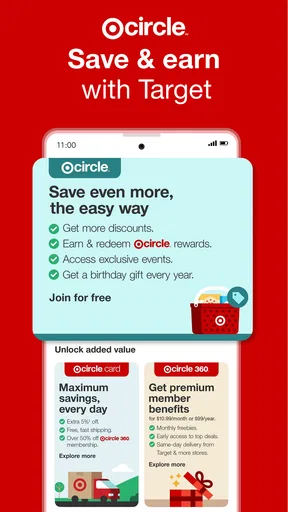
Yes, the Target app integrates seamlessly with Target Circle, allowing users to manage their rewards and offers directly within the app. Users can view their available offers, redeem rewards at checkout, and track their savings history, making it easy to maximize their benefits from shopping at Target.
Is it possible to create and share shopping lists on the Target app?
Absolutely! The Target app allows users to create detailed shopping lists that can be organized by category. These lists can be shared with family or friends, making collaborative shopping a breeze. Users can also check off items as they shop, ensuring nothing is forgotten during their trip.
How secure is the Target app for online transactions?
The Target app employs robust security measures to protect user data and ensure safe transactions. It uses encryption and secure payment gateways to safeguard personal and payment information. Additionally, users can enable biometric authentication for an added layer of security when accessing their accounts.


